Blueprints
Blueprints, identifiable by the .kon extension, serve as containers for predefined objects and activities in Konekti. Leveraging blueprints can significantly expedite the data preparation process.
Loading a Blueprint
If you have a blueprint available, follow these steps to load it into your workspace:
-
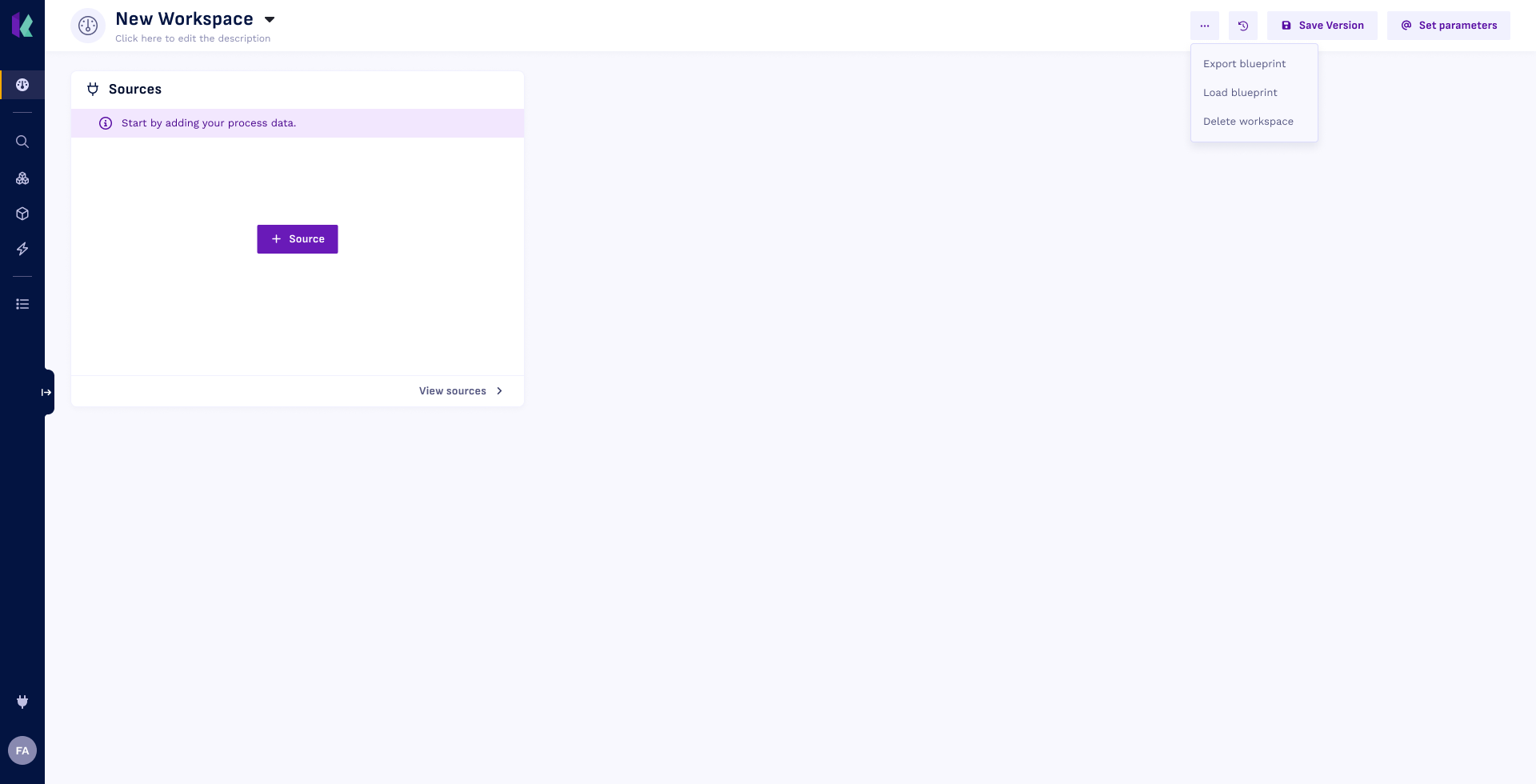
On the dashboard, open the blueprint menu and select
Load blueprint. -
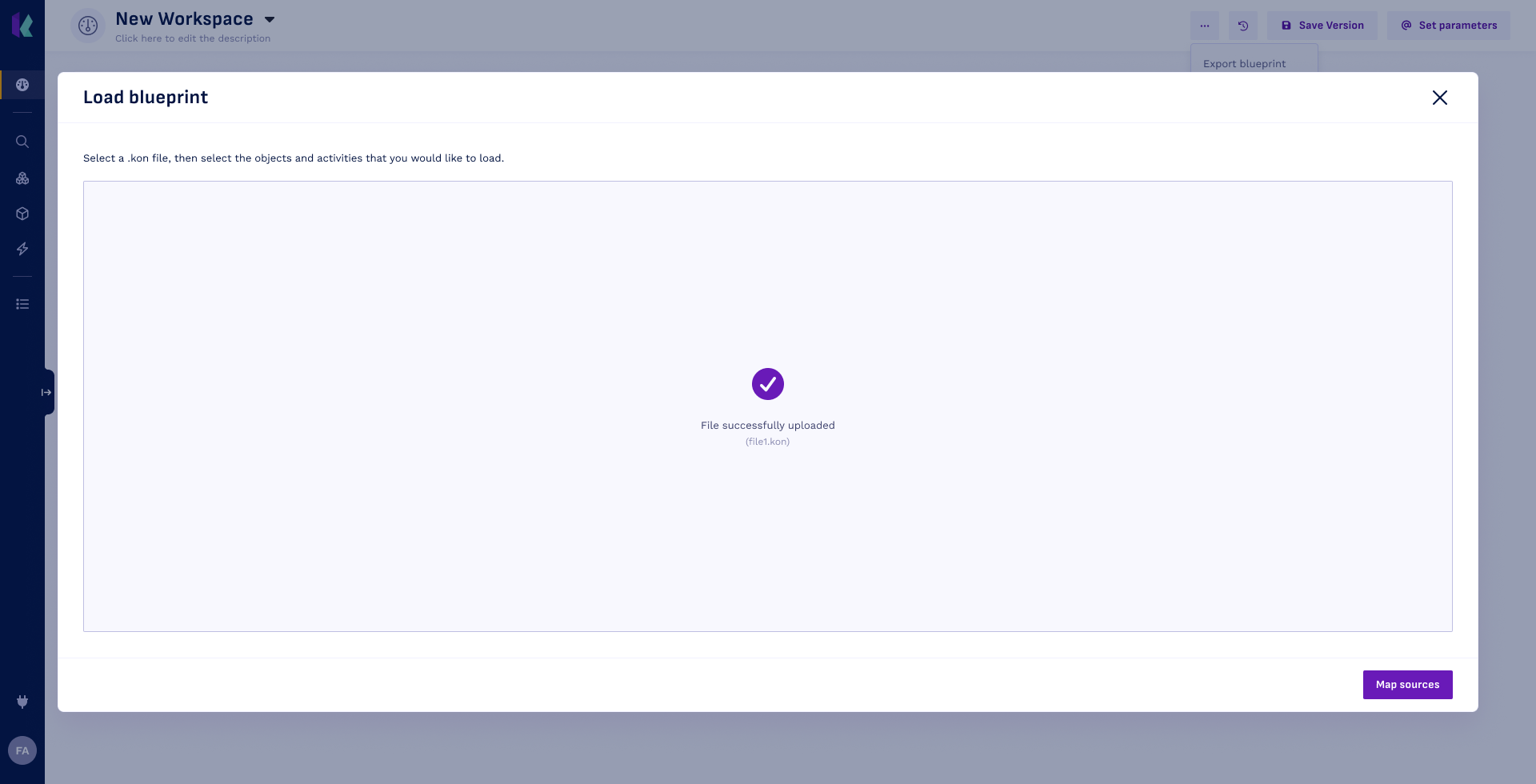
Drag the .kon file to the drop zone.
-
Click Map Sources >.
-
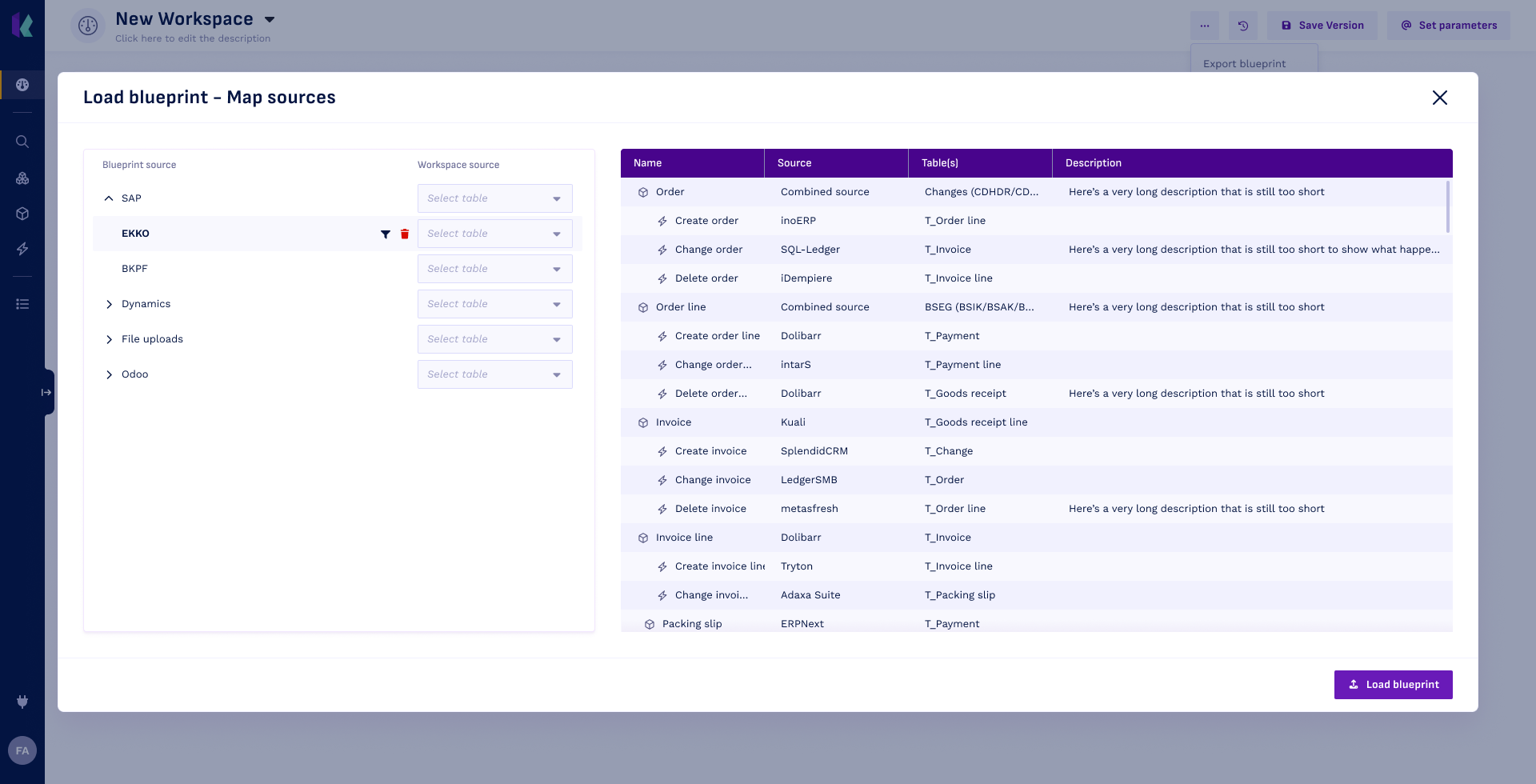
Now, map all the blueprint sources to the sources available in your workspace.
tipConfused how to map one particular source? In the preview on the right, you can see where the blueprint sources are used. Click the
 -icon next to a blueprint source to filter the preview for all the objects & activities that depend on that source.
-
Click
 Load blueprint to finish loading the blueprint.
All the objects, activities and processes from the blueprint will now be available in your workspace in Draft status. You can see them as a diagram on the Dashboard, or as a list on the Event store page. Open and process them one by one, or select Process all assets to process everything at once.
Exporting a Blueprint
Once you have defined objects, activities and processes in your event store, you can export this configuration as a blueprint. This is particularly useful when you want to:
- Re-use the configurations in another workspace (e.g., between test and production environments).
- Share your work with colleagues.
- Maintain the ability to revert back to older versions of your event store.
To export a blueprint, follow these steps:
- Navigate to the
 Dashboard in the left menu.
- Open the blueprint menu and select
Export blueprint. The download of the .kon file starts.
Now, you have a portable blueprint that can be utilized in different workspaces or shared with others, ensuring flexibility and collaboration in your data preparation process.