Advanced Editor
The advanced editor allows customization beyond the capabilities of the simple editor using SQL code. While maintaining compatibility with Konekti's structure and data model. It is recommended to start with the simple editor to set the structure, then make necessary adjustments in the advanced editor.
Steps to Use the Advanced Editor
1: Name the Combined Source
Enter the name that will be displayed throughout Konekti.
2: Write the SQL
Write the SELECT statement for the combined source.
-
The SQL dialect in Konekti is ANSI SQL, ensuring compatibility across different database systems.
-
In the
FROMclause, follow the{{sourcename}}.{{tablename}}format.
| Source Type | Example |
|---|---|
| Database | {{SAP.CDHDR}} |
| File Storage | {{AWS.changes.csv}} |
| File Uploads | {{File uploads.changes.csv}} |
| Combined Source | {{Combined sources.changesfiltered}} |
Example:
SELECT orders.CustomerID, orders.OrderDate
FROM {{SAP.ORDERS}} as orders
WHERE orders.OrderDate > '2023-01-01'
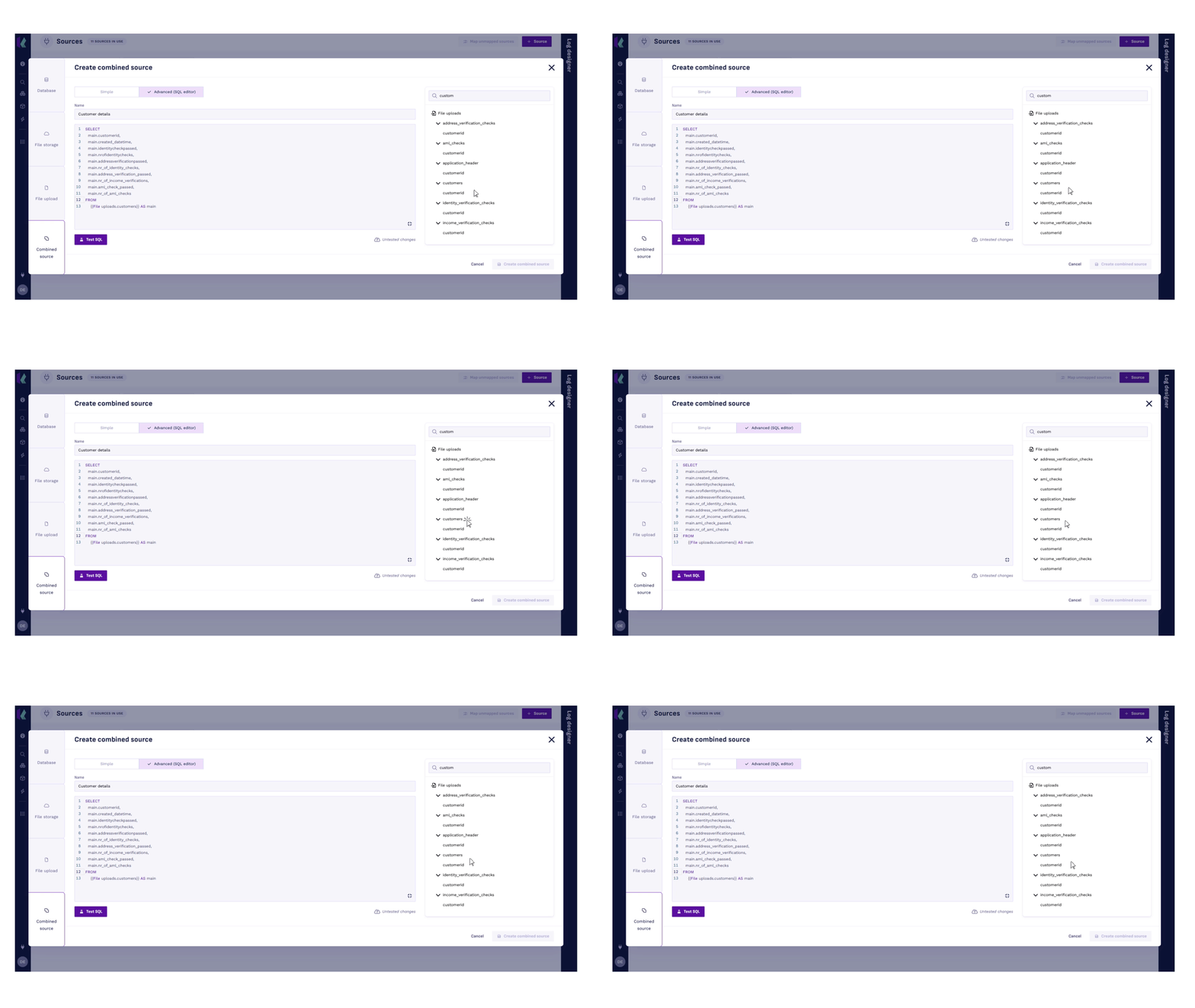
Use the Source explorer to add tables and columns without worrying about naming conventions:
- Click the
 icon in the lower right corner to expand the SQL editor.
- Double-click the desired column or table from the source select list on the right.
3: Test SQL
This will processs the query to see if it can be executed. You may notice that Konekti adds some limitations to what is and isn't allowed in the SELECT statement. This is to ensure compatibility and performance.
4: Create Combined Source
To finish, create the combined source. The modal will close.
CTEs (Common table expression)
CTEs are a useful tool for simplifying complex SQL queries. A CTE creates a temporary named result that can be reused inside other statements, in our case a SELECT statement. CTEs are defined using the WITH clause.
For example, if you need the average price of an item, you could write:
WITH average_price AS (
   Select id, avg(price)
   FROM products
   GROUP BY id
)
You can now use this CTE within another SELECT statement as an alternative to a subquery.
Restricted Operations
-
Disallowed String Concatenation using ||
Use the CONCAT() function instead of the || operator.
Example:
❌ SELECT 'Hello' || 'World'
✅ SELECT CONCAT('Hello', 'World')
-
Wildcard * Disabled
Do not use SELECT *. Always explicitly list column names.
Example:
❌ SELECT * FROM users
✅ SELECT id, name FROM users
-
PostgreSQL-style Type Casting (::) Disabled
Avoid shorthand casting like columnName::VARCHAR. Use standard SQL casting instead.
Example:
❌ SELECT age::VARCHAR
✅ SELECT CAST(age AS VARCHAR)
-
Only CTE (WITH) or SELECT Statements Allowed at Start
Queries must begin with a Common Table Expression (WITH) or a SELECT statement. Other statements are not allowed.
Example:
❌ INSERT INTO table_name ...
✅ SELECT * FROM table_name
-
Source Reference Must Use Konekti Format
Use
{{sourceName.TableName}}to reference data sources.Example:
❌ SELECT * FROM my_table
✅ SELECT * FROM
{{mySource.my_table}} -
Restricted Statements Disallowed
Statements like DROP, ALTER, UPDATE, INSERT, etc. are forbidden. Only SELECT is permitted.
Example:
❌ DROP TABLE users
✅ SELECT * FROM users
-
Each Expression in SELECT Must Have a Unique Alias
All expressions in the SELECT clause must be aliased uniquely.
Example:
❌ SELECT COUNT(*)
✅ SELECT COUNT(*) AS total_count
-
No Semicolon Allowed at the End
Do not terminate queries with a semicolon (;).
Example:
❌ SELECT * FROM users;
✅ SELECT * FROM users
-
Column References Must Be Fully Qualified
Columns must be referenced with their table alias or name.
Example:
❌ SELECT columnName
✅ SELECT u.columnName FROM users AS u
-
Every Table Must Have an Alias
Table names in FROM clauses must include an alias.
Example:
❌ SELECT * FROM users
✅ SELECT * FROM users AS u
-
No Duplicate Aliases in a Query
Each table alias in the query must be unique.
Example:
❌ FROM orders AS o JOIN invoices AS o
✅ FROM orders AS o JOIN invoices AS i
-
Unknown or Invalid SQL Constructs
Any unrecognized or unsupported SQL syntax will trigger a generic error referencing the invalid expression.
Example:
Unknown disabled operation: 'ExtractedString'