File Storage
With the file storage source, you can import files from a file storage, such as a data lake.
When using this source option, files are imported from your data lake into Konekti.
If your data resides in Azure Synapse or Microsoft Fabric, we recommend setting up a database connection to the Synapse Analytics SQL Endpoint / Microsoft Fabric SQL Endpoint instead of using file storage as the source. This approach minimizes data duplication and ensures you're always working with the most up-to-date version of your files.
Supported File Storage Types
Konekti currently supports the following file storage types:
- Azure Data Lake
- AWS S3
Importing Files from File Storage in Four Steps
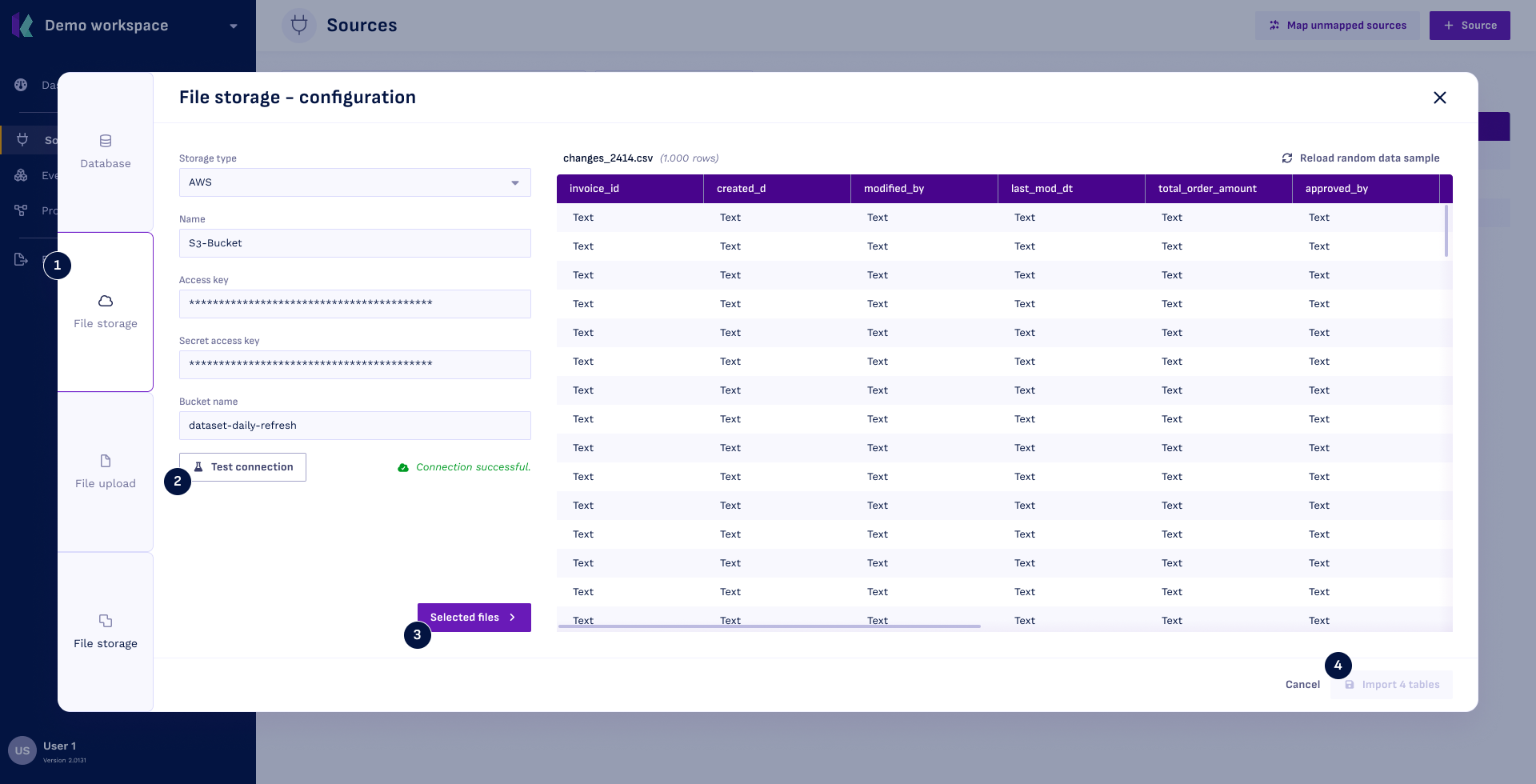
Step 1: Create a New Source
- Navigate to the sources overview and click the + Source button.
- Select the File storage source type in the left ribbon.
Step 2: Set-Up Data Lake Connection
- Fill in the credentials. Refer to the table below for additional information.
- Click Test connection.
Data Lake Connection Credentials:
| Field | Details |
|---|---|
| Storage type | Select any of the supported storage types |
| Name | The name displayed throughout Konekti for this source |
| Access key, Secret access key | Key and secret to connect to your AWS S3 Lake |
| Storage account name, Key | Credentials required to connect to your Azure Data Lake |
| Bucket name | Name of the bucket you want to acces |
If you only want to acces one subfolder in your bucket you can fill in bucketname/foldername to only acces that folder instead of the whole bucket.
Step 3: Select Files
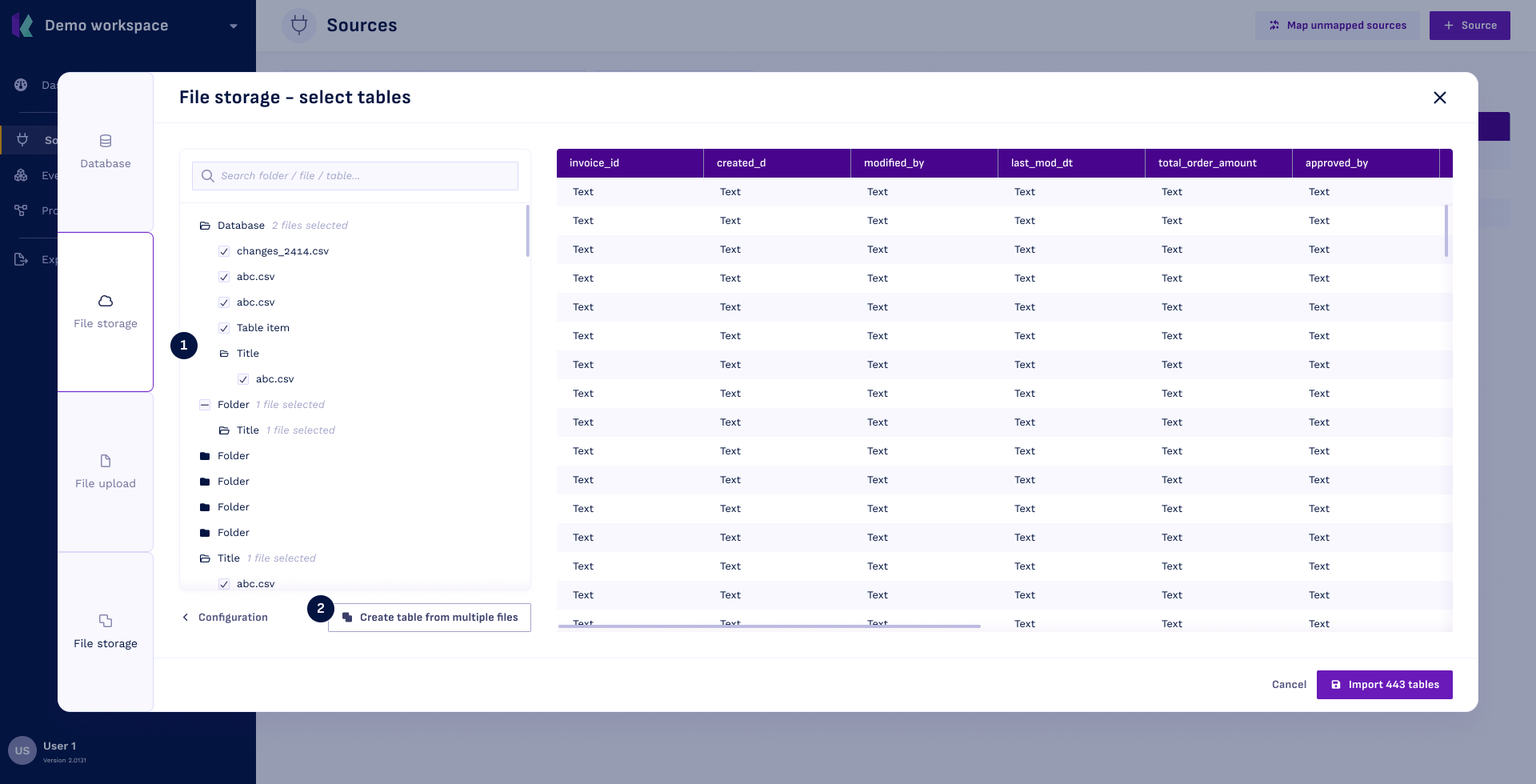
When selecting files, there are two possibilities:
-
Files are partitioned. In which case you need to use the Create table from multiple files button (2). This enables naming the combined name. Note that only files of the same type can be combined. You can click the folder to select all underlying files at once (1).
-
Files are unpartitioned. In this case you can select all files for importing at once.
Step 4: Import Tables
- Import the selected tables by clicking Import tables.