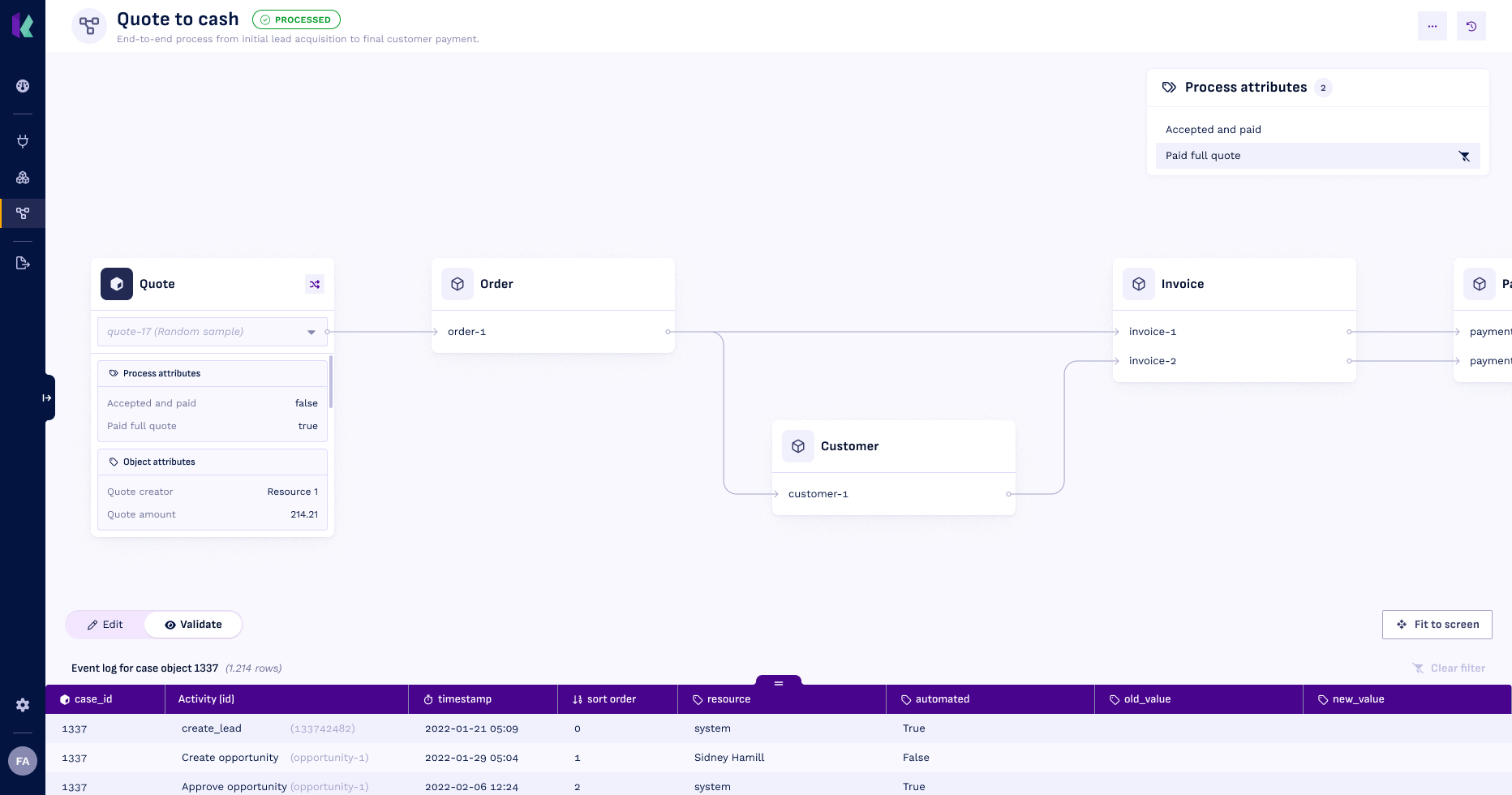
Process attributes
Process Attributes in Konekti are smart, no-code metrics that let you express business rules directly on your process data. They automatically turn complex logic into clear, reusable definitions for tags, durations, or aggregations; without touching SQL. Each Attribute makes the connection between business intent and data explicit and transparent, ensuring consistent KPIs, reliable insights, and alignment across teams.
In downstream analysis, these process attributes show up as attributes on the leading object of the process.
Types of process attributes
Konekti supports three types of process attributes. All attribute types are evaluated per process instance and use the same process definition.
Tag (Boolean / Classification)
Evaluates whether a process instance satisfies one or multiple condition set in the query.
- Output: true/false.
- Use cases: compliance, categorization, KPI flags.
Examples: SLA breach, perfect order, exception cases.
Duration (Time-based Metric)
Measures elapsed time between two activities. If the process instances satisfies the criteria set in the query.
- Output: numerical value (e.g. days, hours, minutes) or null.
- Use cases: cycle time, waiting time, SLA performance.
Examples: order to payment time, shipment to invoice time.
Aggregate
Computes values across related objects or activities. If the process instances satisfies the criteria set in the query.
- Output: count, numerical value (e.g. sum, average, max), or other data type (e.g. min, max).
- Use cases: volume, financial metrics, frequency analysis.
Examples: number of invoices, total order value, rework count
Structure of a process attribute
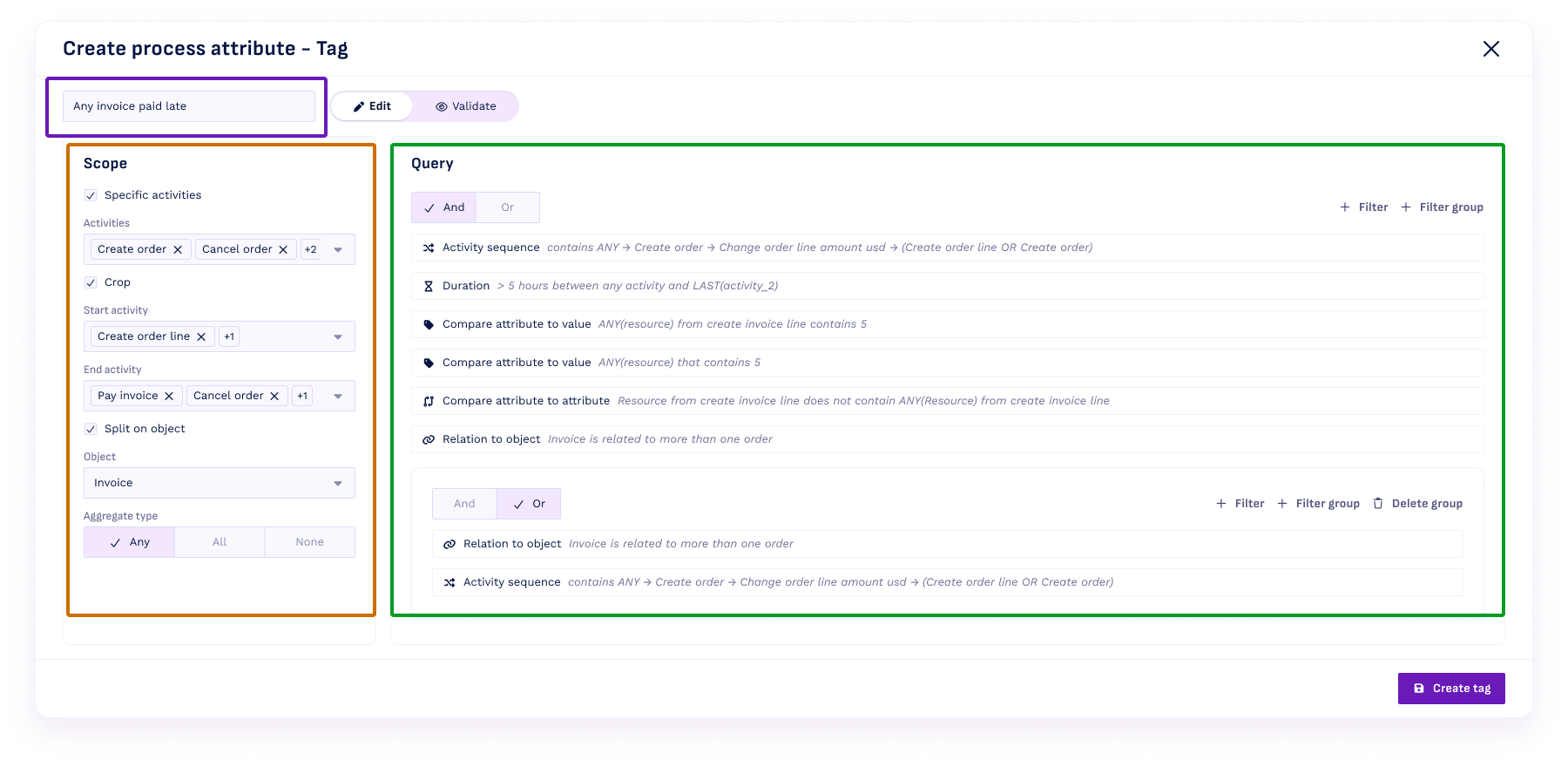
Each process attribute consists of three parts:
Name (purple)
The name of the process attribute. This will be the name of the column in the leading object’s table.
Scope (Orange)
Optional settings for more advanced process attributes: Specific activities, Crop, and Split on object. To explain these scope options, consider the example below. The top graph shows the object instances: a single quote results in a single order that has 2 invoices. Each invoice has a single payment. The bottom shows the events associated with those objects.
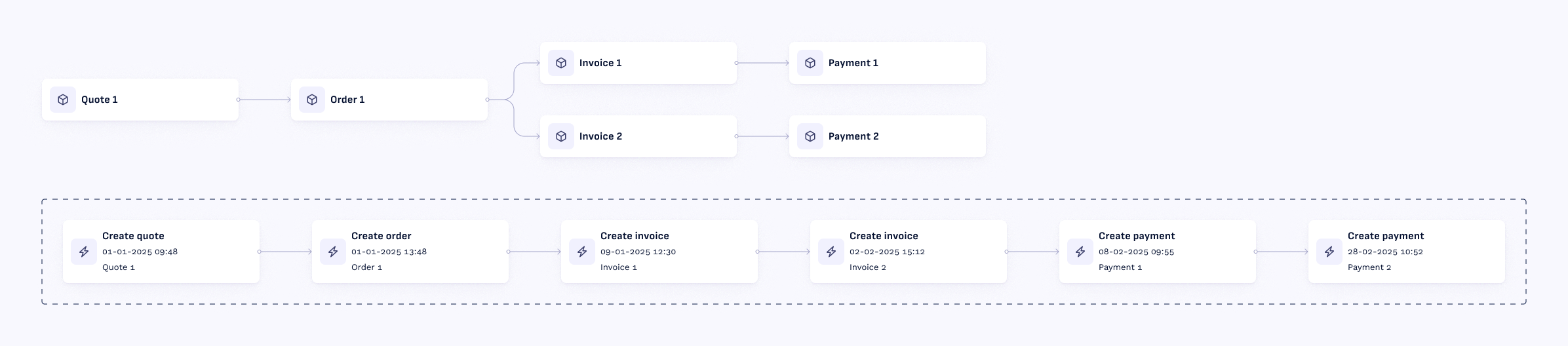
The settings in the scope are the following:
- Specific activities: limits evaluation to specific activities.
In the example, we choose “Create order” and “Create payment”: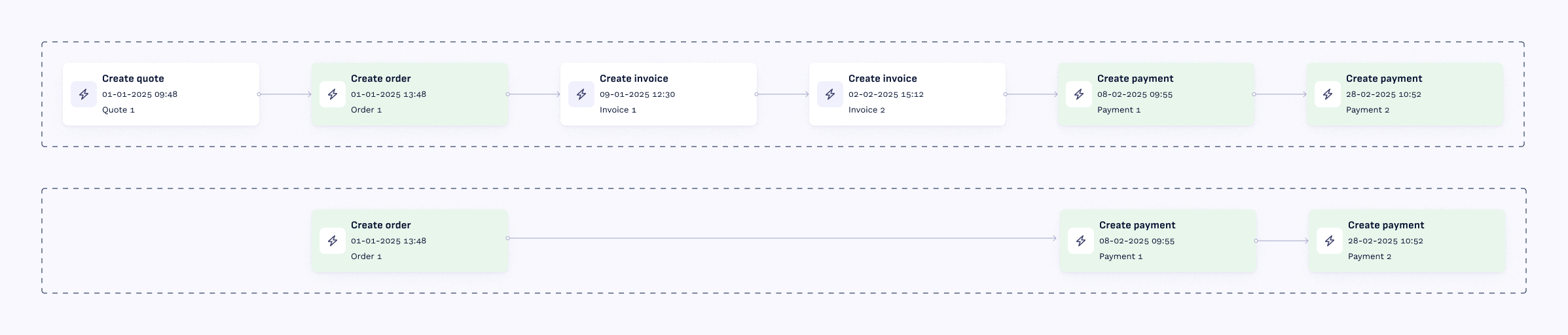
- Crop considers only activities between a defined start and end activity.
In the example, we choose “Create order” and “Create invoice”: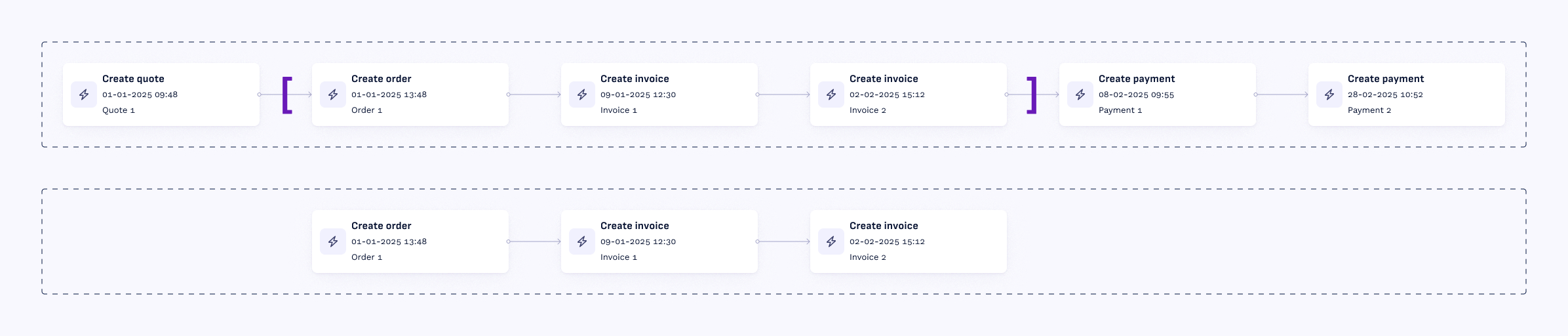
- Split on object: splits the process instance on a secondary object. Use this when the relation between objects downstream in the process is important.
In the example, we split on “Invoice” object: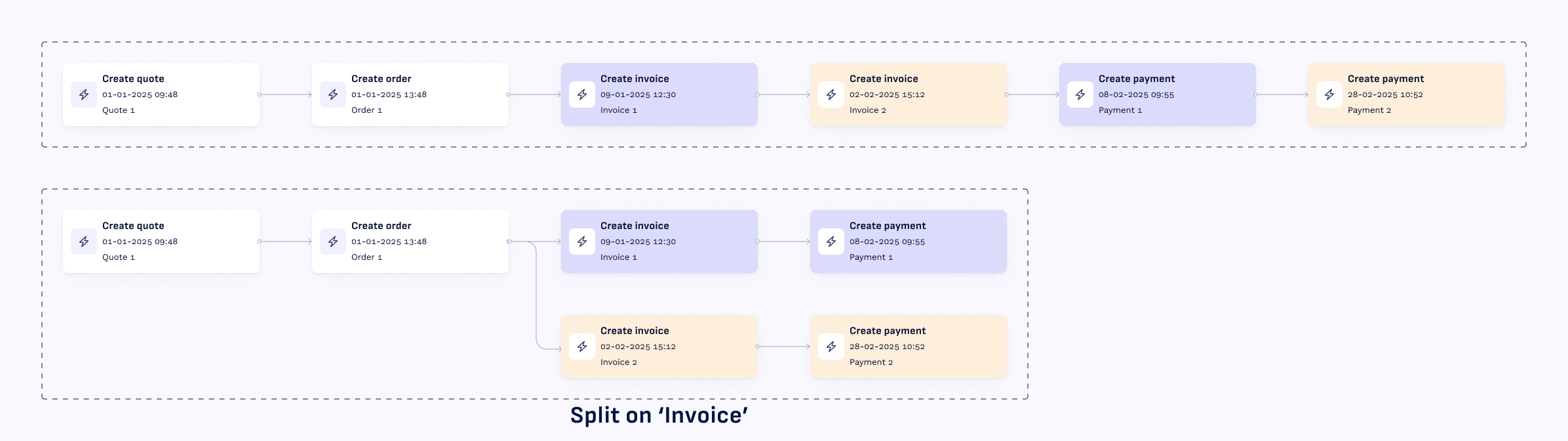
Query (green)
This is where you build up the logical conditions applied to the (scoped) process instance. The query determines:
- For tag: whether a tag evaluates to true
- For duration: for which process instances the duration is calculated
- For aggregation: which values are aggregated
Available filter types:
Relation to object:Filter based on the type of relation any object has with any other object.
Example:
Compare attribute to value:Filter based on a comparison between any of the attributes in the process instance and a fixed value.
Example:
Compare attribute to attribute:Filter based on a comparison between the value(s) of one asset, with the value(s) of another asset. Can be aggregated.
Example:
Duration:Filter based on the duration between two activities.
Example:
Activity sequence:Filter based on the order in which activities occur, and their frequency. Includes options for starts with, ends with, directly follows, eventually follows.
Example:
Validate process attributes
Process attributes can be validated in two ways:
- In the process attributes modal, click the
validatebutton to see the results in tabular format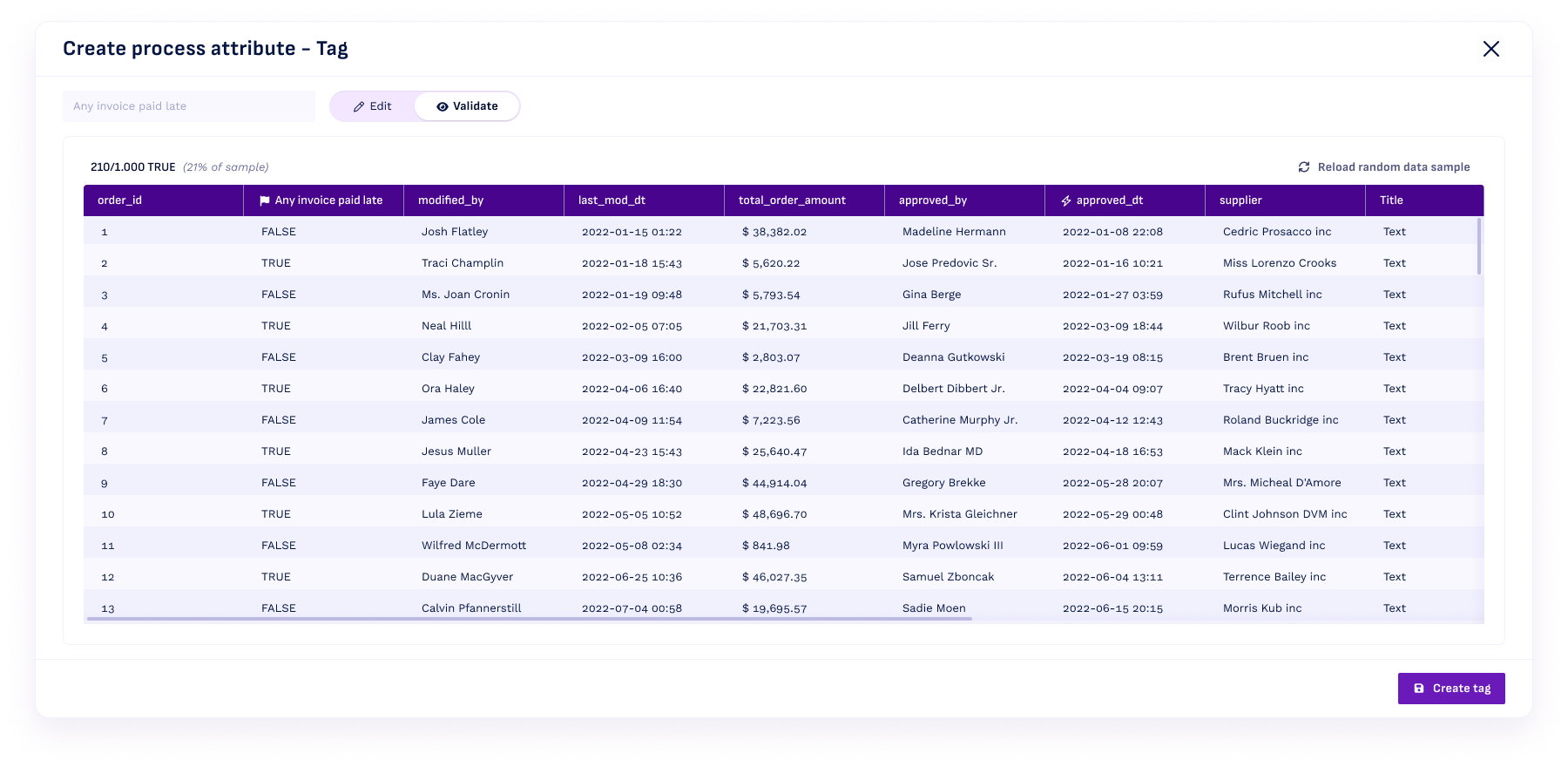
- In Object flow, a process attribute can be selected as a filter in the
Process attributesregion. This lets you analyze results of the process attribute on object instances on a case-by-case basis.